Export cashbook data (PDF & CSV)

Übersicht
Overview
You have two options for the cashbook export. You can get a PDF export to your MY orderbird e-mail via your MINI in the Cashbook History. The PDF export only contains one balance sheet. You can request a CSV export for any time period via MY orderbird in the cashbook tab. There you can also select a different e-mail as the recipient, e.g. that of your tax advisor.
| CSV | ||
| Where to find? | MINI > Cashbook > History | MY orderbird > Cashbook |
| Who is the recipient? | your login-email for MY orderbird | an email of your choice |
| What is in the export? | a single balance sheet | all cashbook data for the chosen period |
PDF export from orderbird MINI
You can send the cashbook data as a PDF directly from the orderbird MINI to your email address. You can then print it out for your records or forward it to your tax advisor.
You can only export completed cash sheets individually. If you would like to select several cash sheets for export at the same time, you can do a CSV export on MY orderbird .
Let's go
- In the menu on your orderbird MINI, tap “Cashbook” and then “Cashbook History”.
- Now select the balance sheet that you want to export.
- You will now see all cash receipts and cash expenses for the selected balance sheet. Tap the square with the word “PDF” in the upper right and confirm that it should be sent to your email address.
- Check your email inbox: The PDF will be sent to the email address you use to login to MY orderbird.
It looks like this:
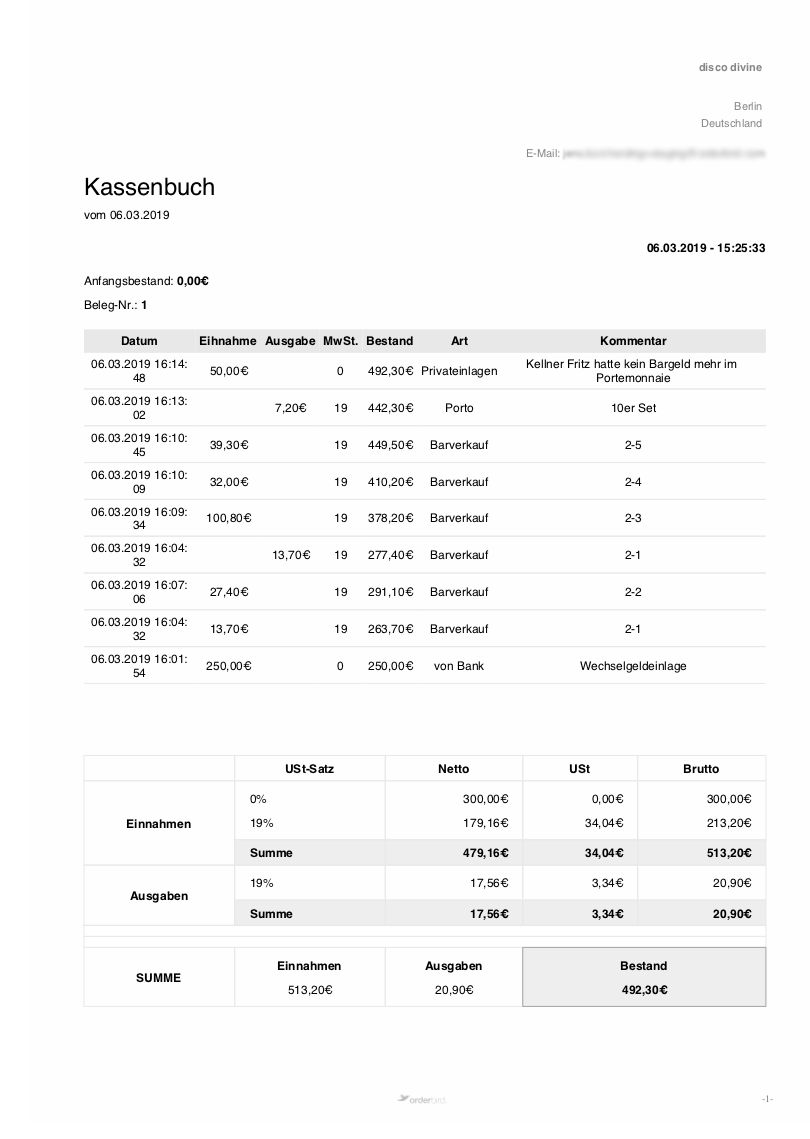
If you don't receive the export, take a look here: My cashbook export isn't arriving. What now?
CSV export from MY orderbird
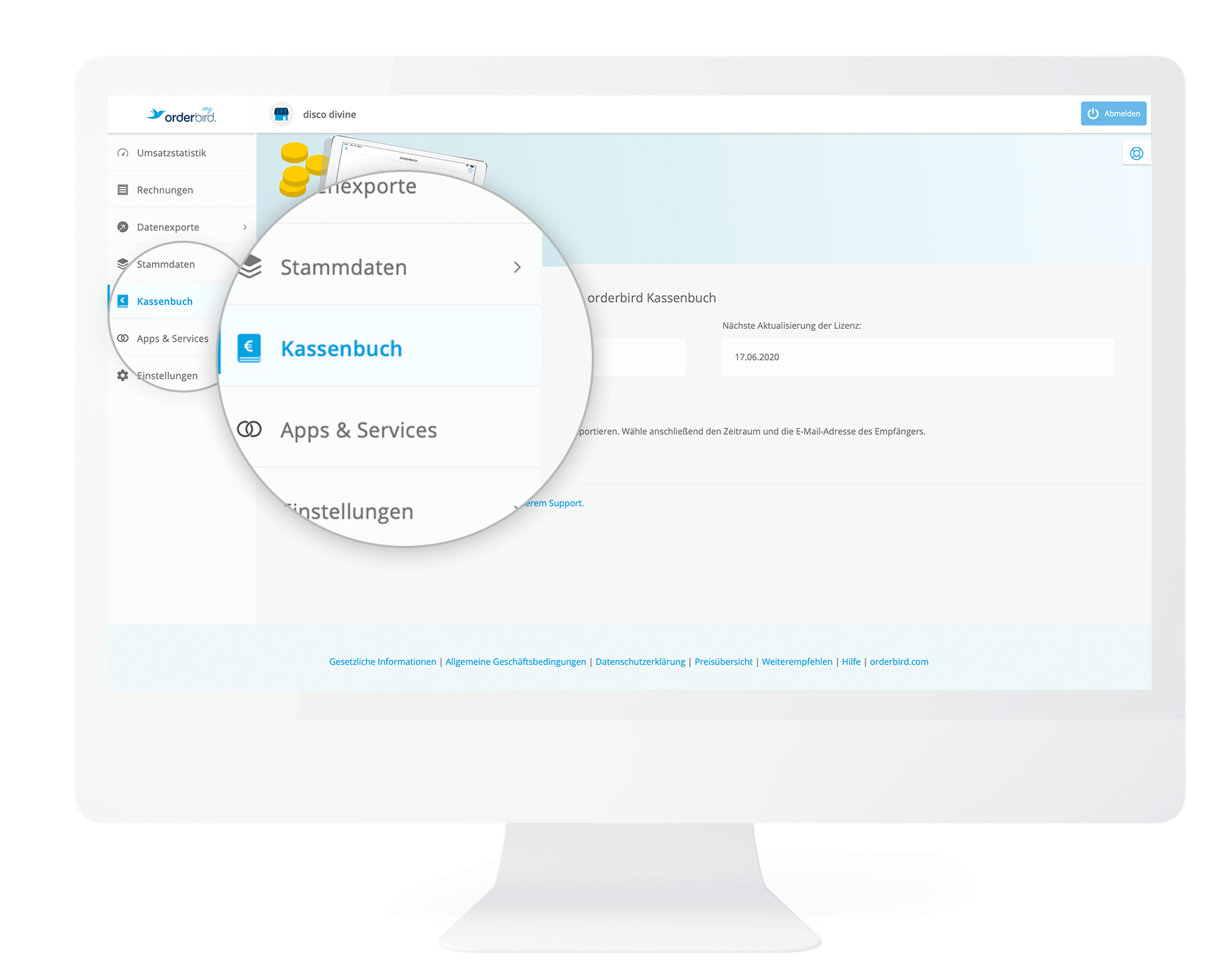
- Login to MY orderbird and click on “Cashbook” in the left column.
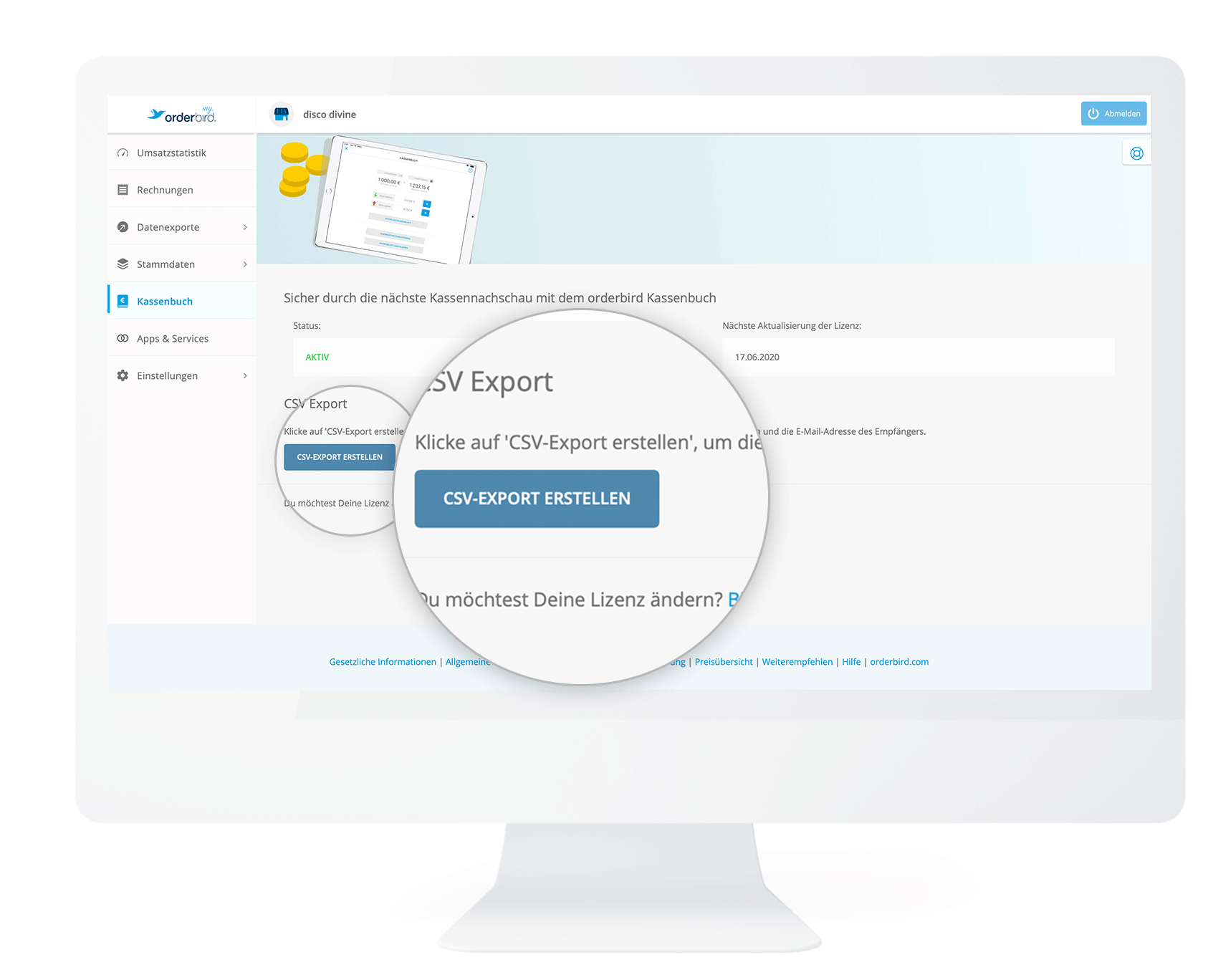
- Now click on the “Create CSV export” button.
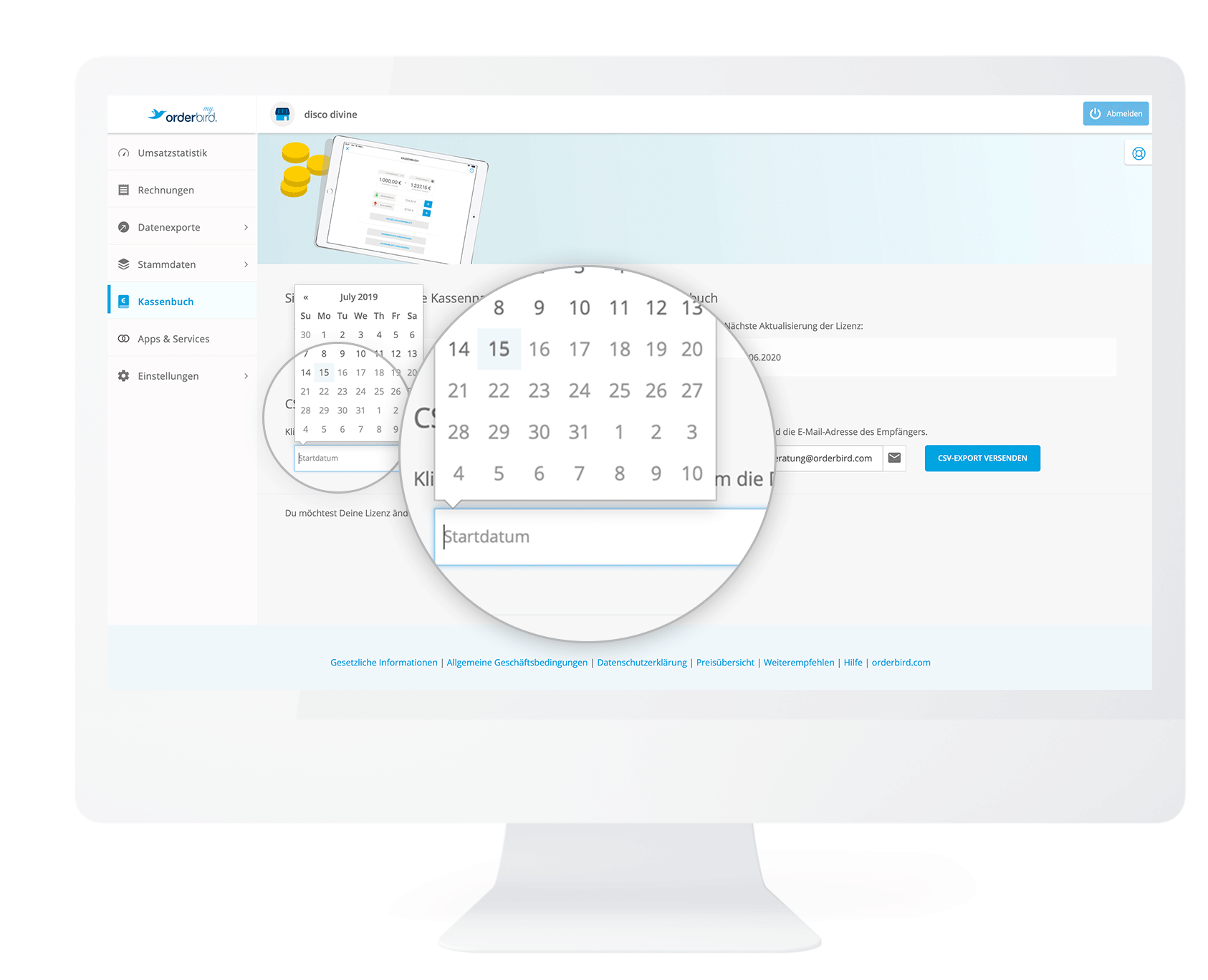
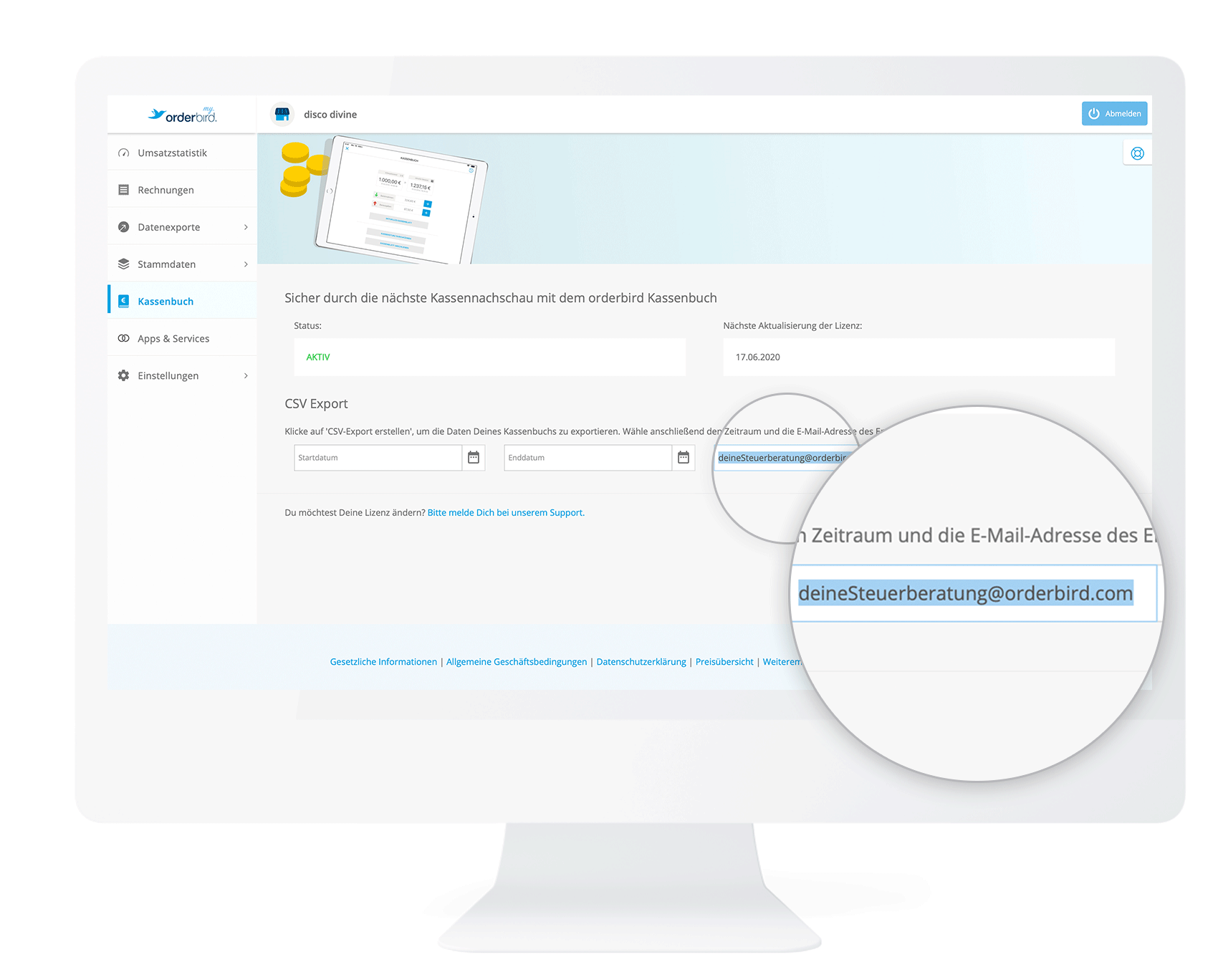
- Next, you determine the period of your cashbook export. Choose a “Start date” and “End date”.
- Next, enter the email address to which the export should be sent. If you have entered the email address of your tax consultancy in "Settings > DATEV Details", then this email address will be automatically transferred here. But you can also enter any other address!
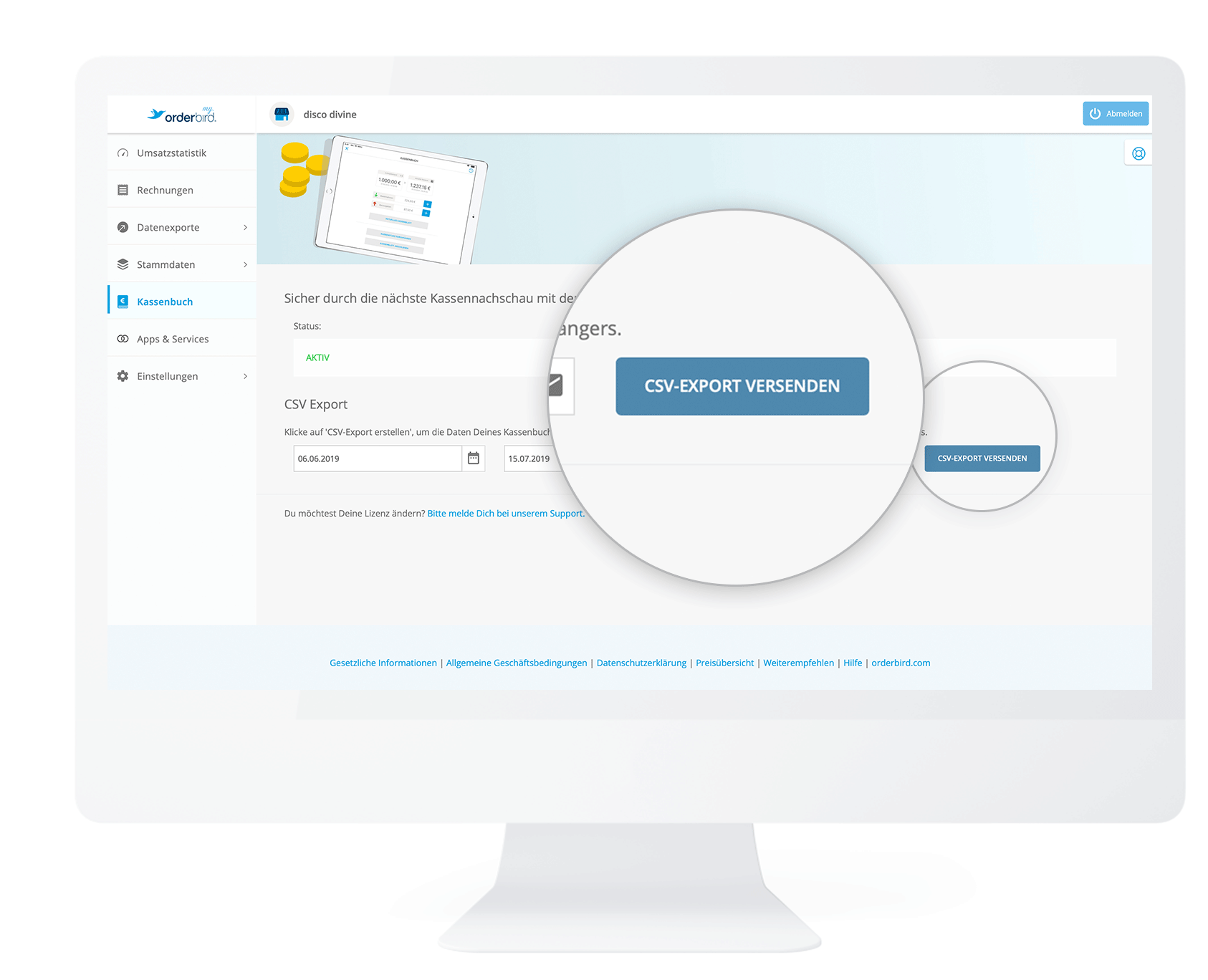
- Click on “Send CSV export”. You will receive an email with a link to download your CSV file.
DATEV export in MY orderbird
In addition, since summer 2026, your cashbook is also included in the DATEV export. Through DATEV, you’ll receive not only a list of transactions but also all receipt photos as image files for download, which you can send to your accounting or tax advisor.
To ensure your tax advisor can properly analyze the cash book export, set up the DATEV accounts for the cash book in MY orderbird > Settings > DATEV Details > Accounting Information.
And to save you even more effort, you can send the DATEV report automatically to your tax advisor on a monthly basis. Learn more here: Sending your monthly DATEV report automatically via email
I did not get my report!
If your requested PDF or CSV export does not end up in your email inbox, please check the following:
- Check your spam folder to see if the export ended up there by mistake. If this is the case, mark "noreply@orderbird.com" as a safe sender so that the export reliably ends up in your mailbox in the future.
- If you cannot find the email in your spam folder, please contact our support. We will work with you to find out whether your email provider may have rejected the email or there is another problem.