Application for card payment: Digital signature

Übersicht
Final spurt! Now all that's missing is your signature / the signature of all owners. By clicking on the button "Sign digitally" in the online form of Bambora (Worldline) you will be automatically redirected to the signature page. Otherwise, please go to your mailbox and click on the link in the email which was sent to all signers.
Let's go
- Click on the link in the email which you received from Bambora.
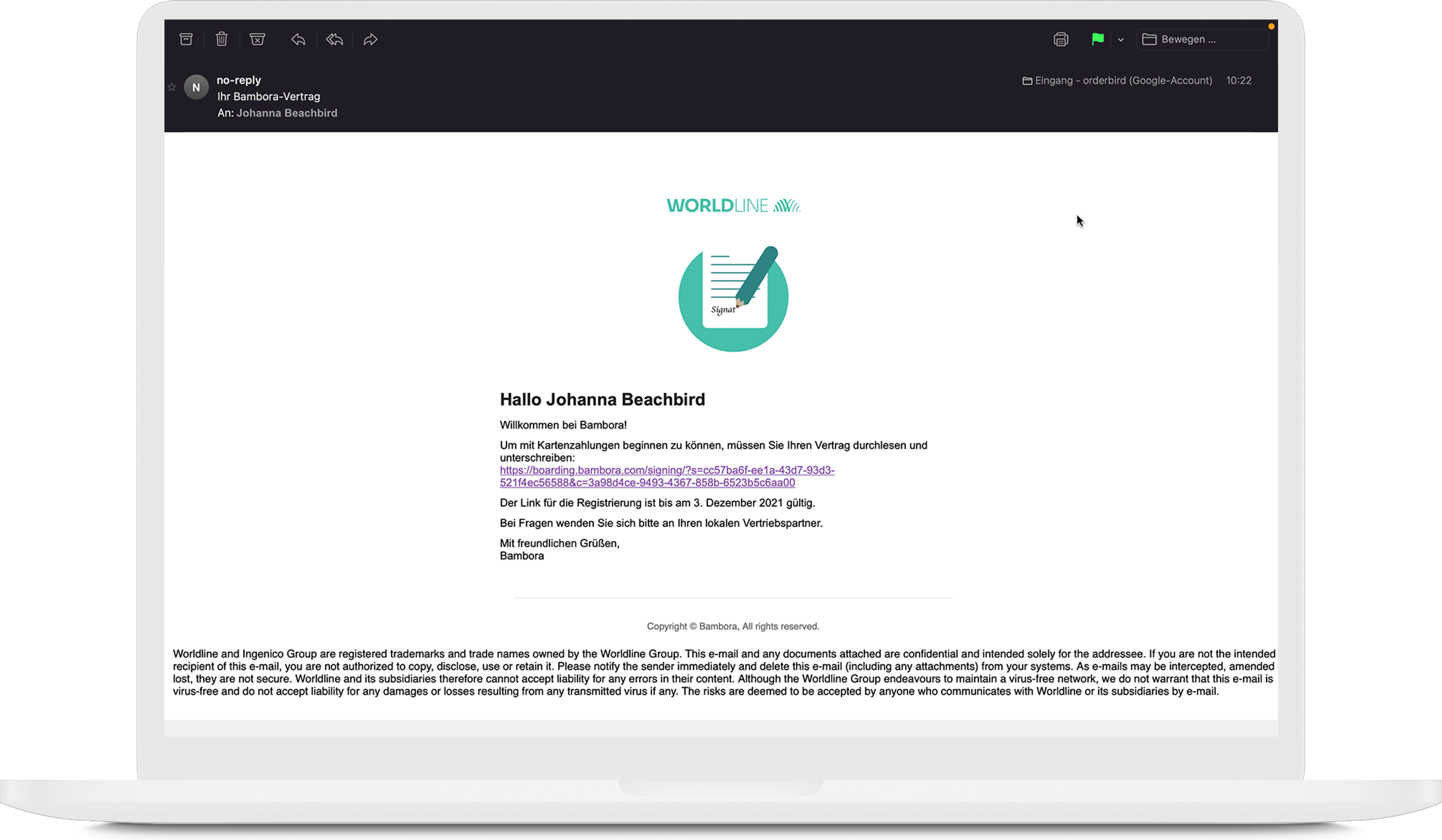
- On the new page, you and any additional signatories can review the contract and download it as a PDF. To do this, click on “eine Zusammenfassung Ihres Vertrages ansehen” (EN: view a summary of your agreement)!
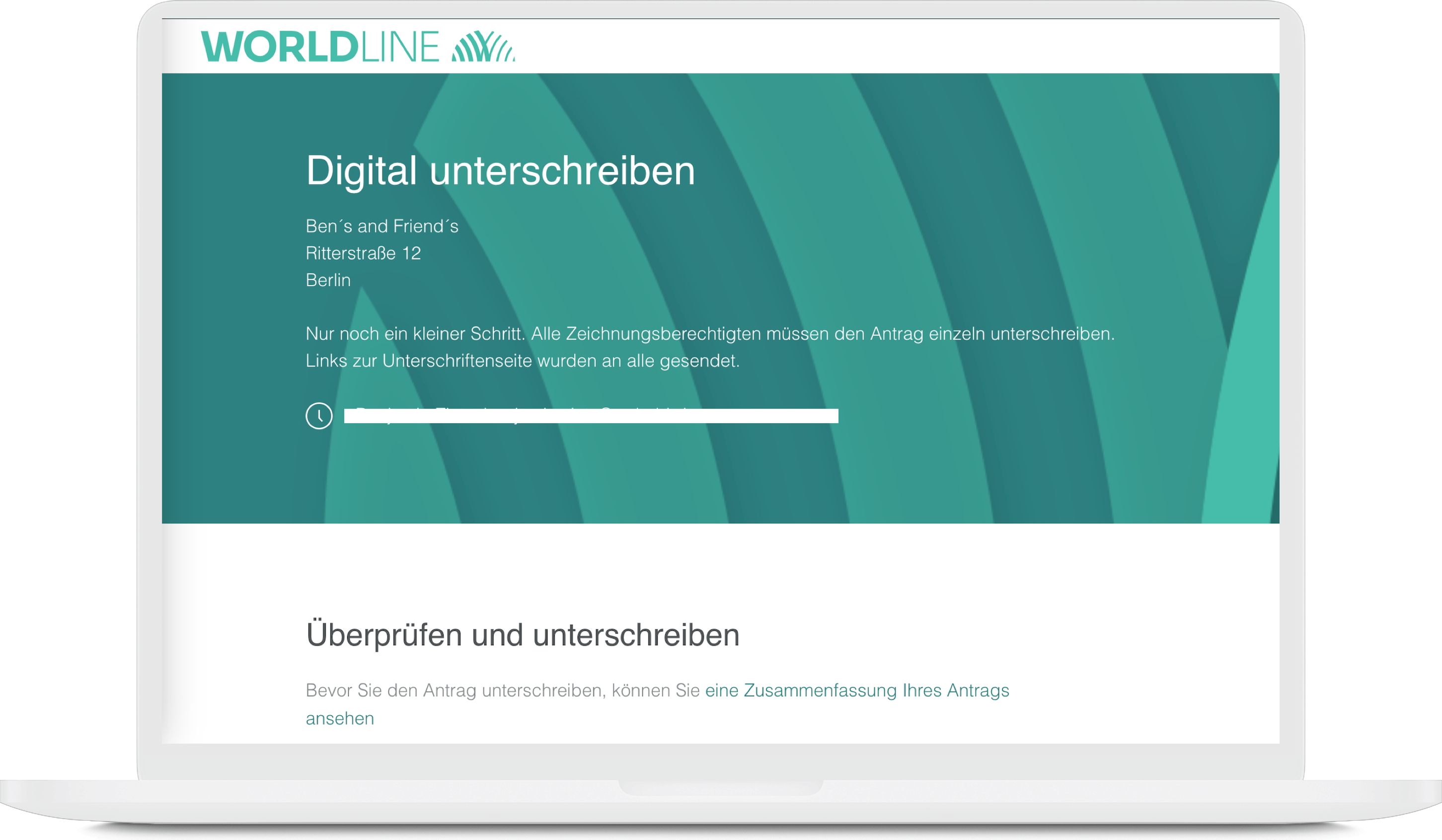
- All the details in your agreement are correct? Great! Now, please provide your bank account for the payout of your revenues.
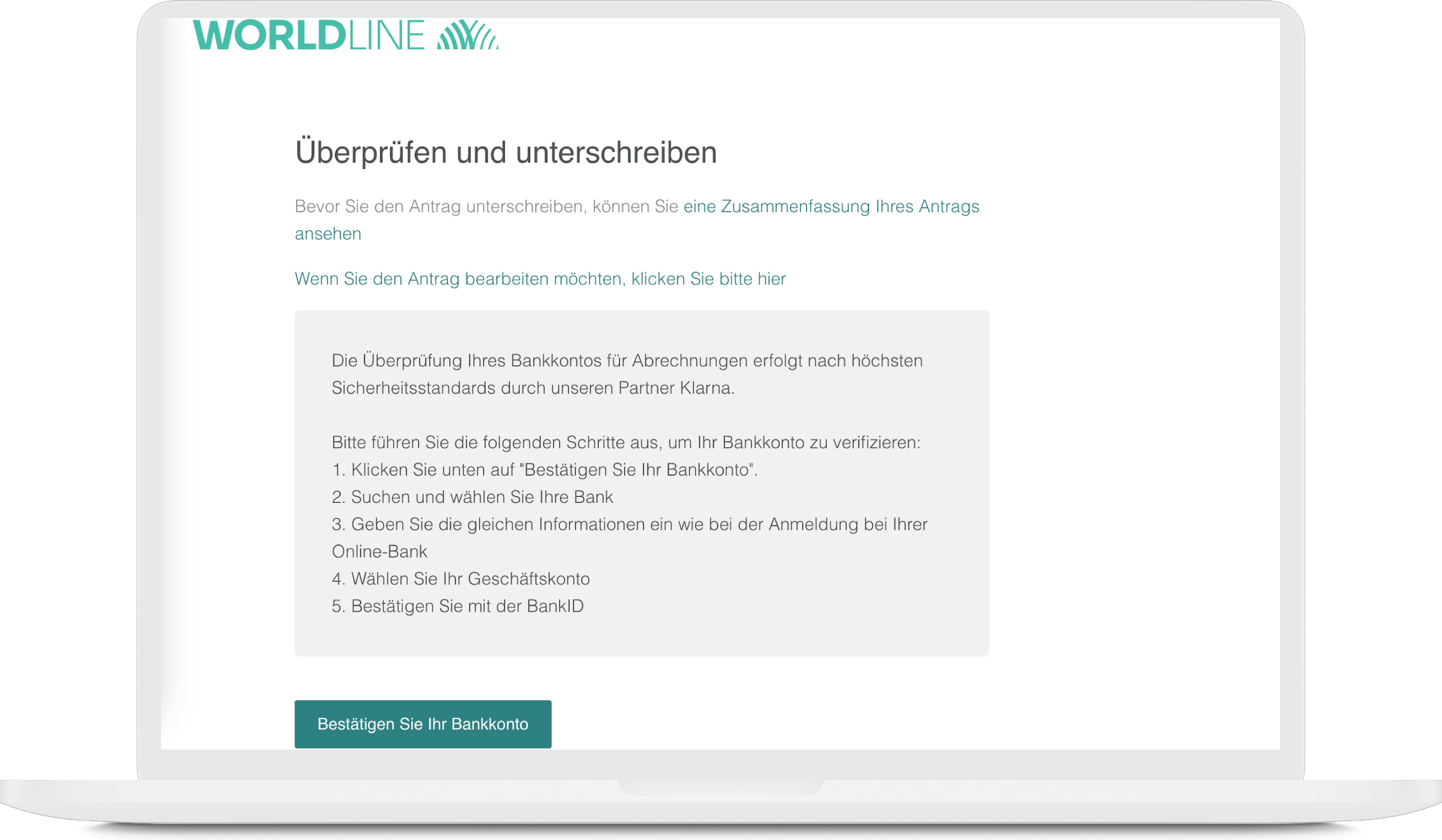
- Click on “Bestätigen Sie Ihr Bankkonto” (EN: confirm your bank account) and enter the IBAN and the account holder. The account holder must be the company name. For sole traders, this is the name of the owner; for all other types of company, it is the name of the company as it is registered. Bank accounts of third parties (other persons or companies) are forbidden.
Confidential information can, of course, be hidden.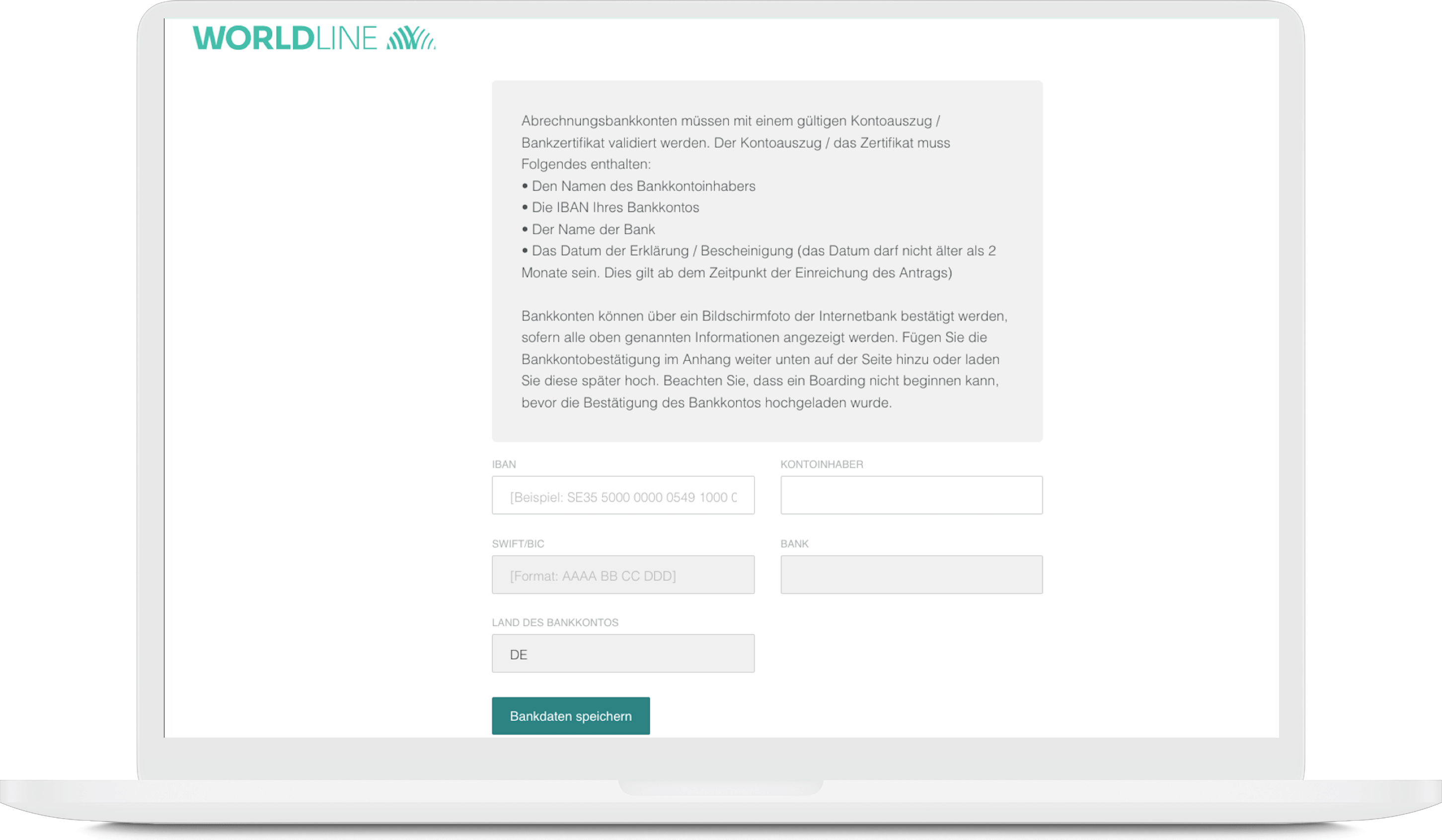
- Upload a confirmation of your bank account in the attachment. Proof of an active bank account is mandatory for registration with Worldline. The easiest way to do this is with a bank statement from the last month. Your bank proof must show the following four details:
- Name or logo of your bank
- Account holder’s name
- IBAN
-
A date no older than 2 months
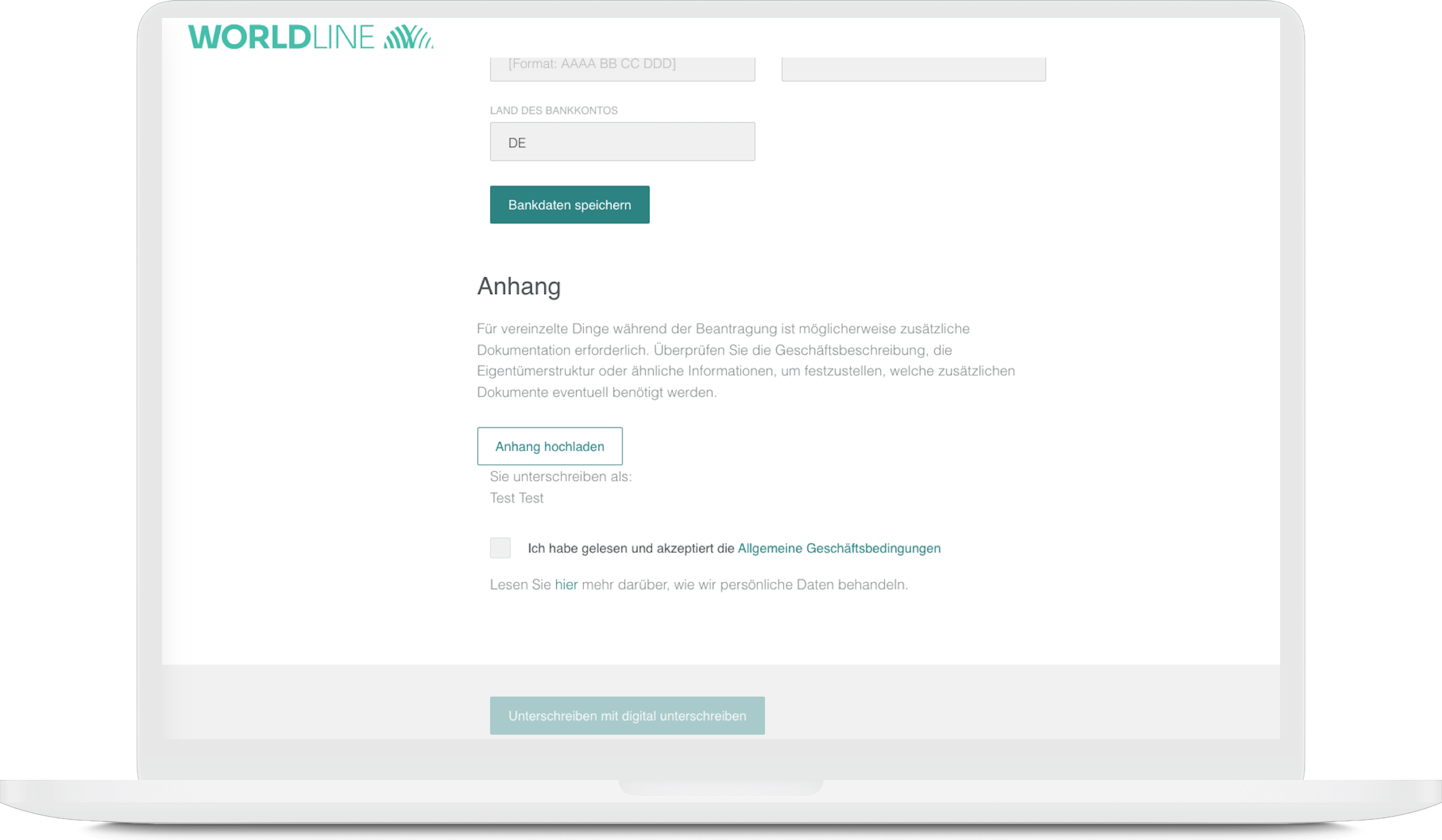
Confidential information can, of course, be hidden.
6. Then check the box of „Ich habe gelesen und akzeptiere die Allgemeine Geschäftsbedingungen“ (EN: I read and accept the terms & conditions).
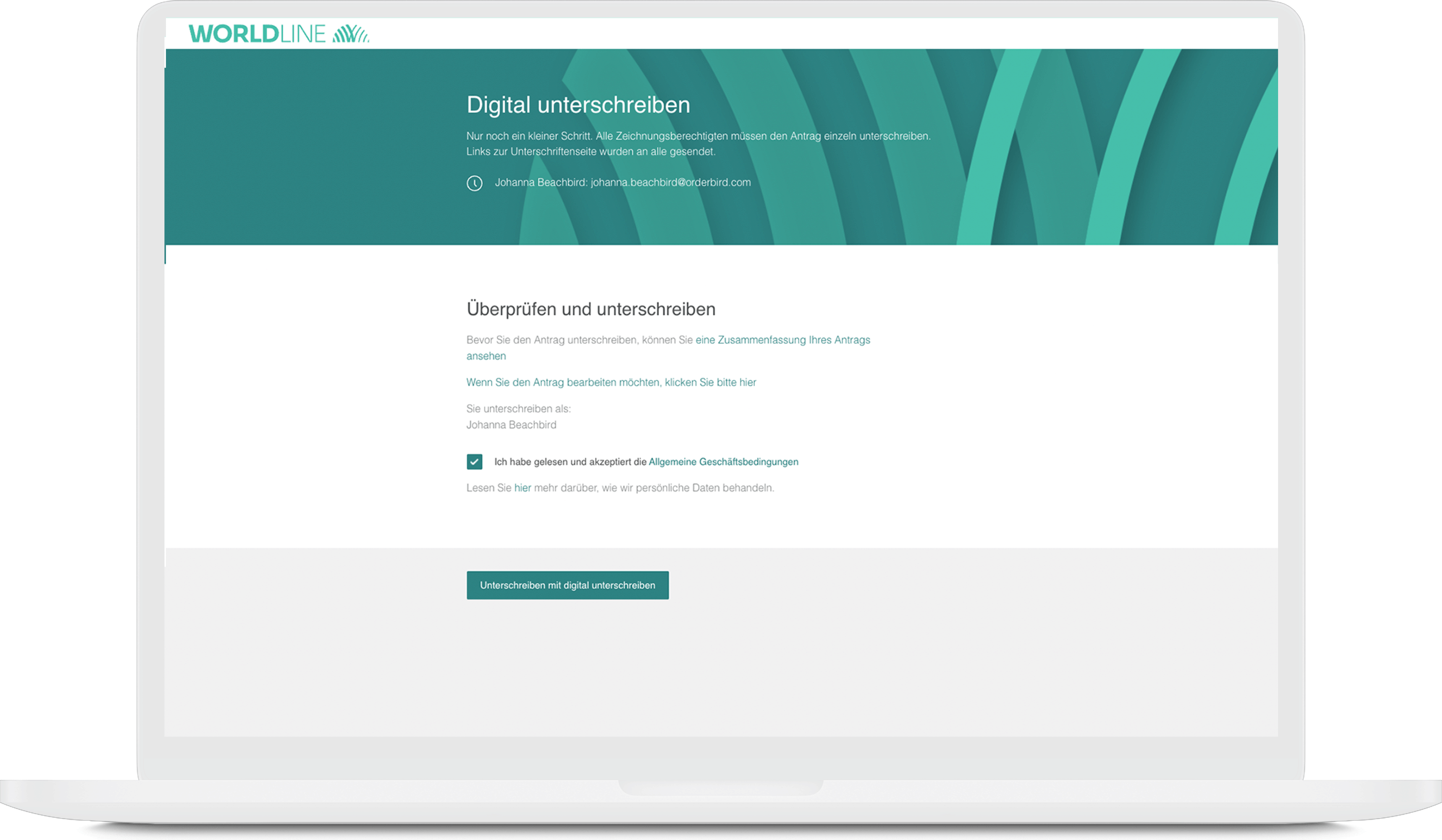
7. Scroll down a little and then click on "Unterschreiben mit digital unterschreiben" (EN: Sign with digital signature)
8. Then click on "Dokument signieren" (sign the agreement). If your browser asks if signature.signicat.com may have access to your camera, please allow it. This way, you can take the requested photos directly with your webcam.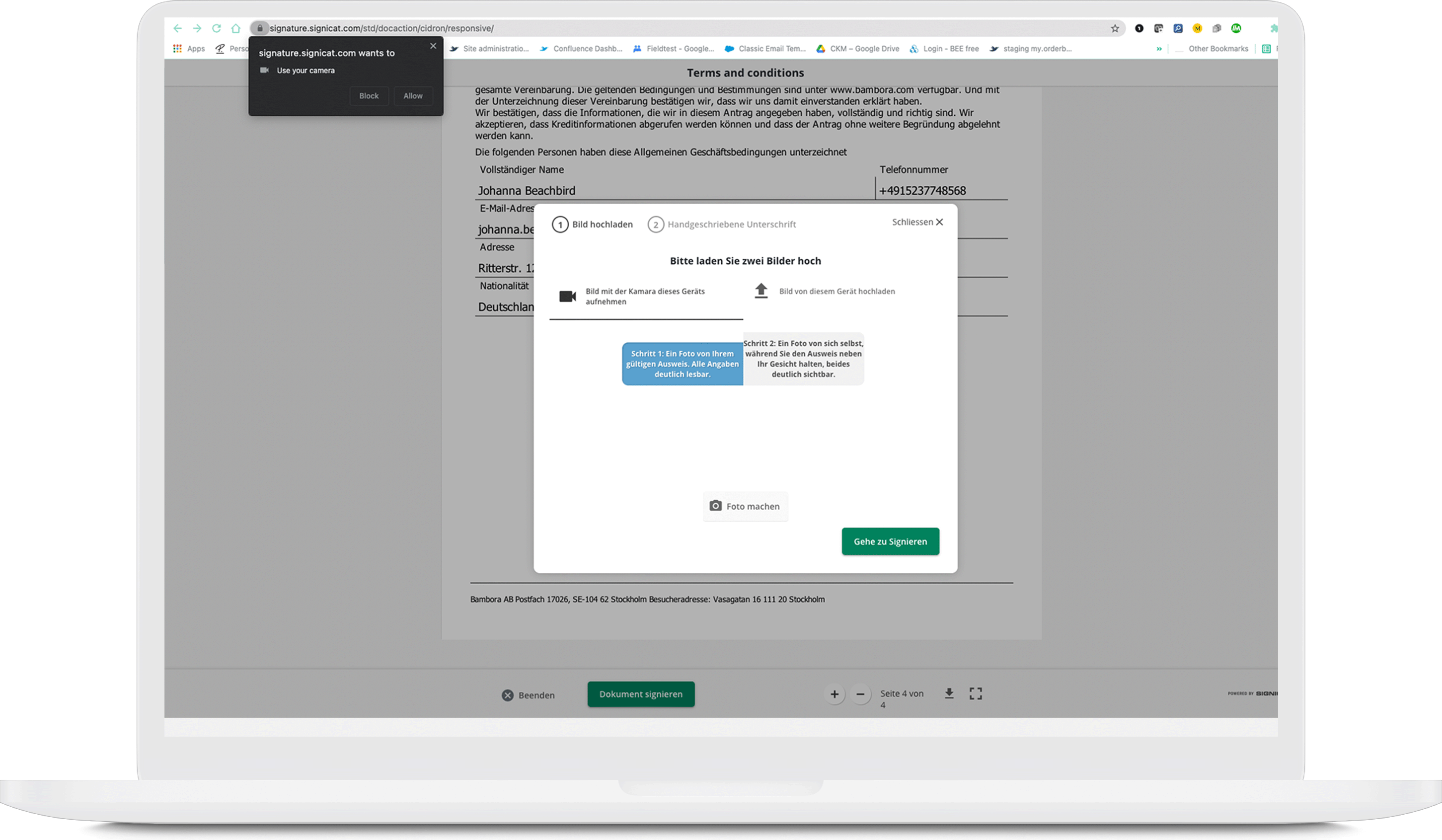
9. Next, upload two pictures (max. 3 MB each, JPG or PNG only, no PDF):
- First a picture of your ID which should be visible in full…
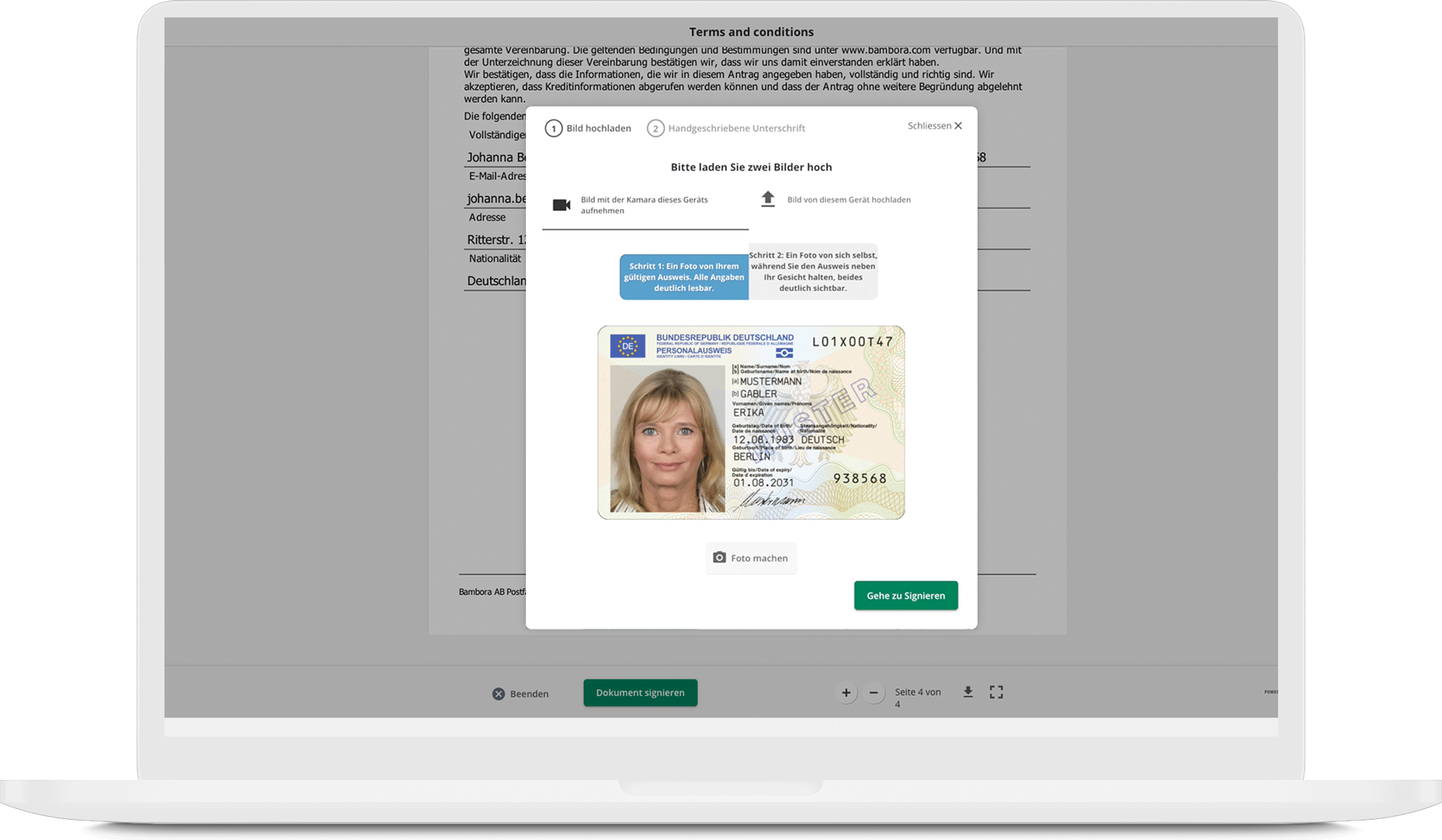
- … and second a picture of your ID as you hold it next to your face. Please make sure that the data on the ID is still readable.
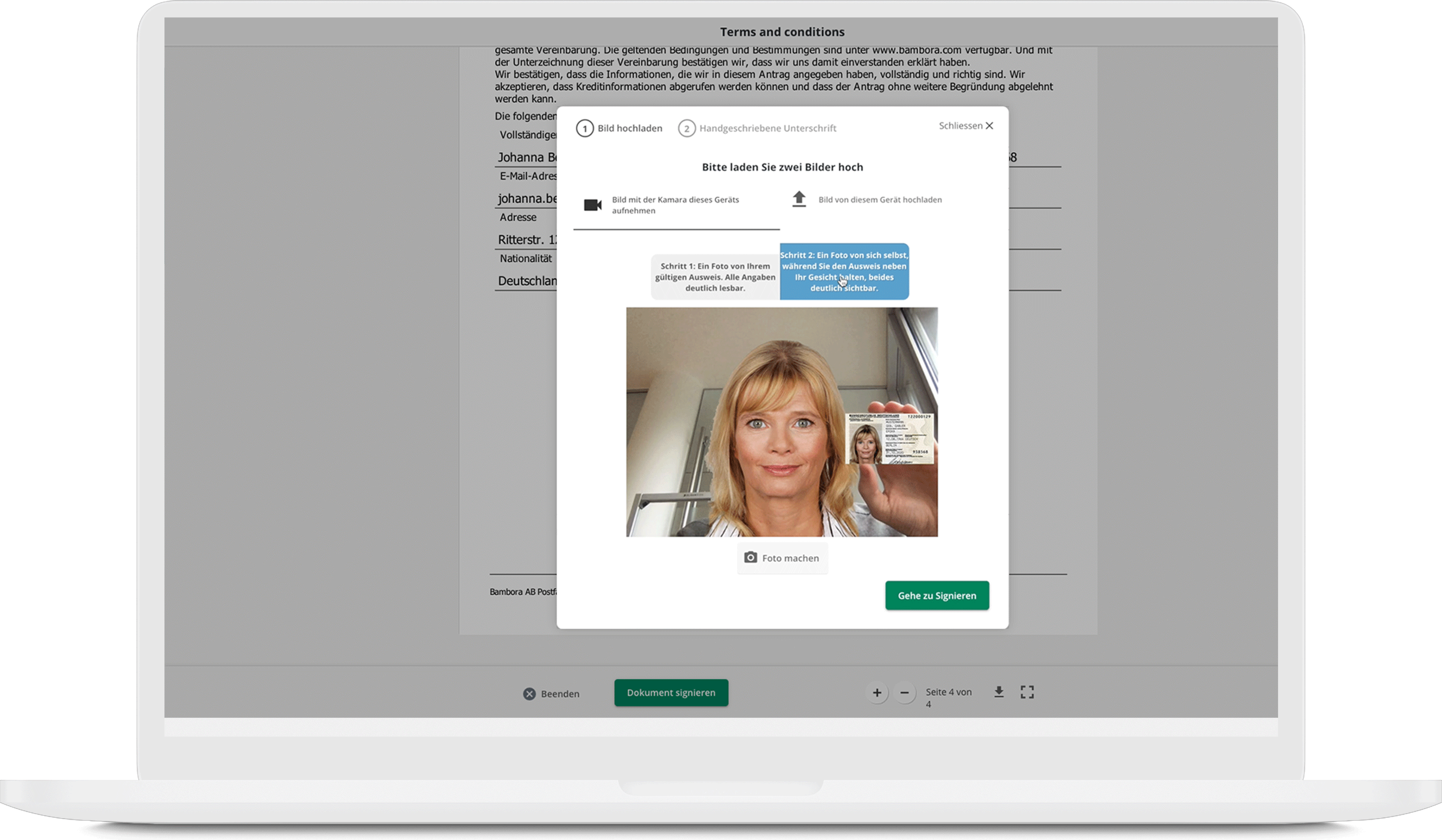
10. After the upload click on “Go to signing”. Now you can sign directly on your device.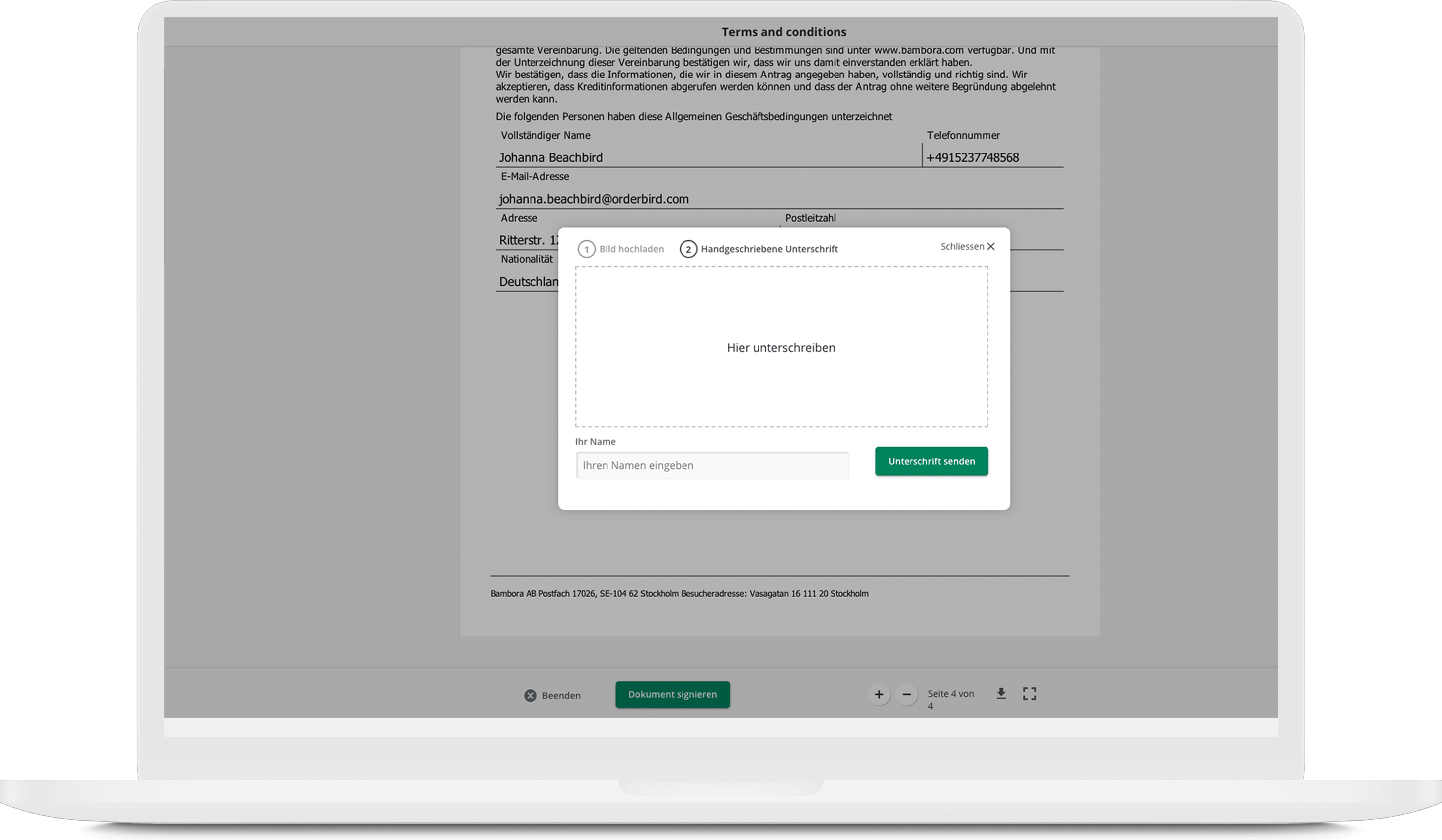
If you have a mobile device, you can sign with your finger on the touchscreen. If you have a desktop, you can sign with the mouse. Please note that the use of a laptop or PC is recommended to prevent issues of the function.
- Be sure to enter your first name and lastname in the “Your name” field! Then click on “Unterschrift senden” (EN: submit signature).
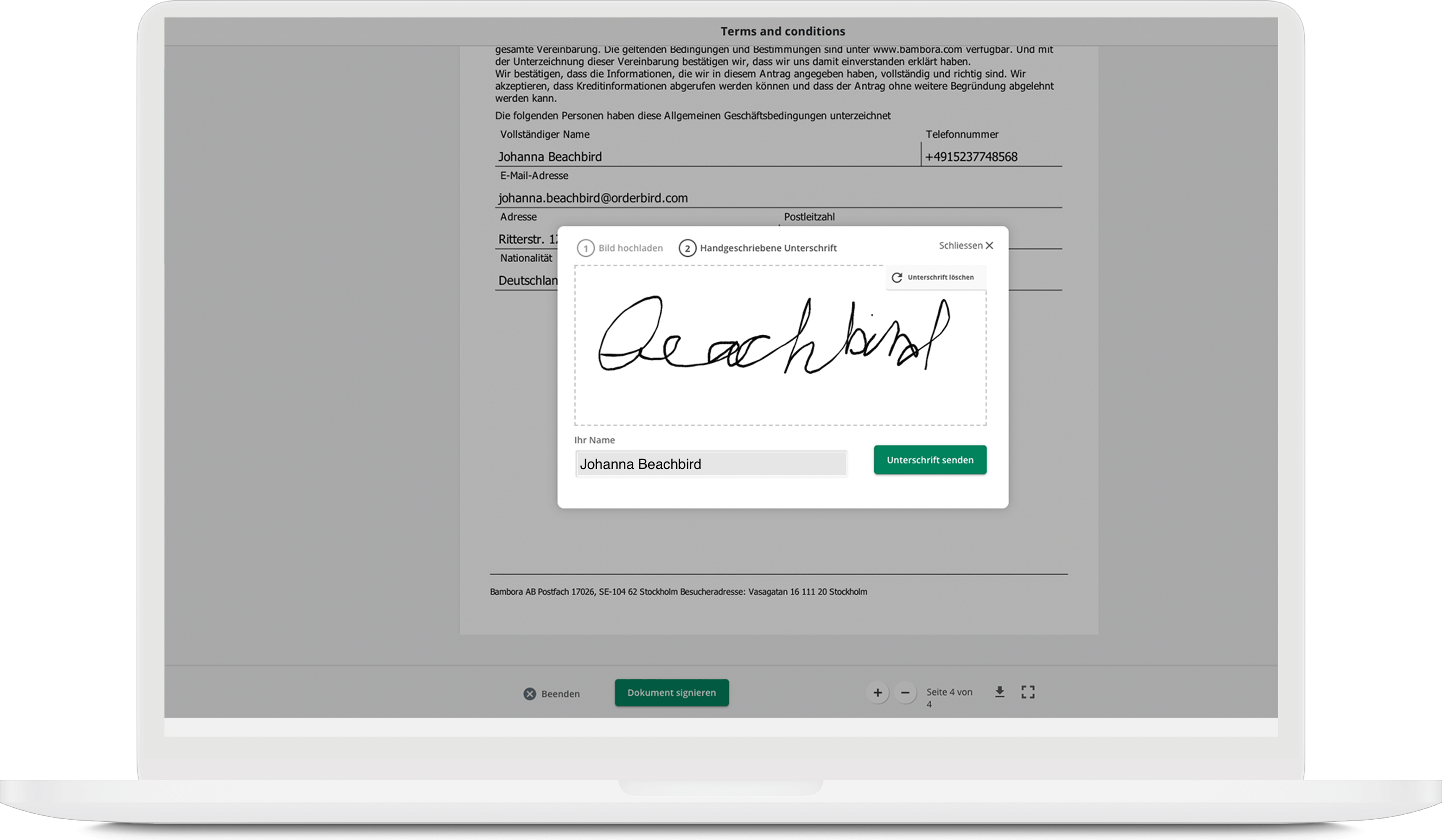 That's it!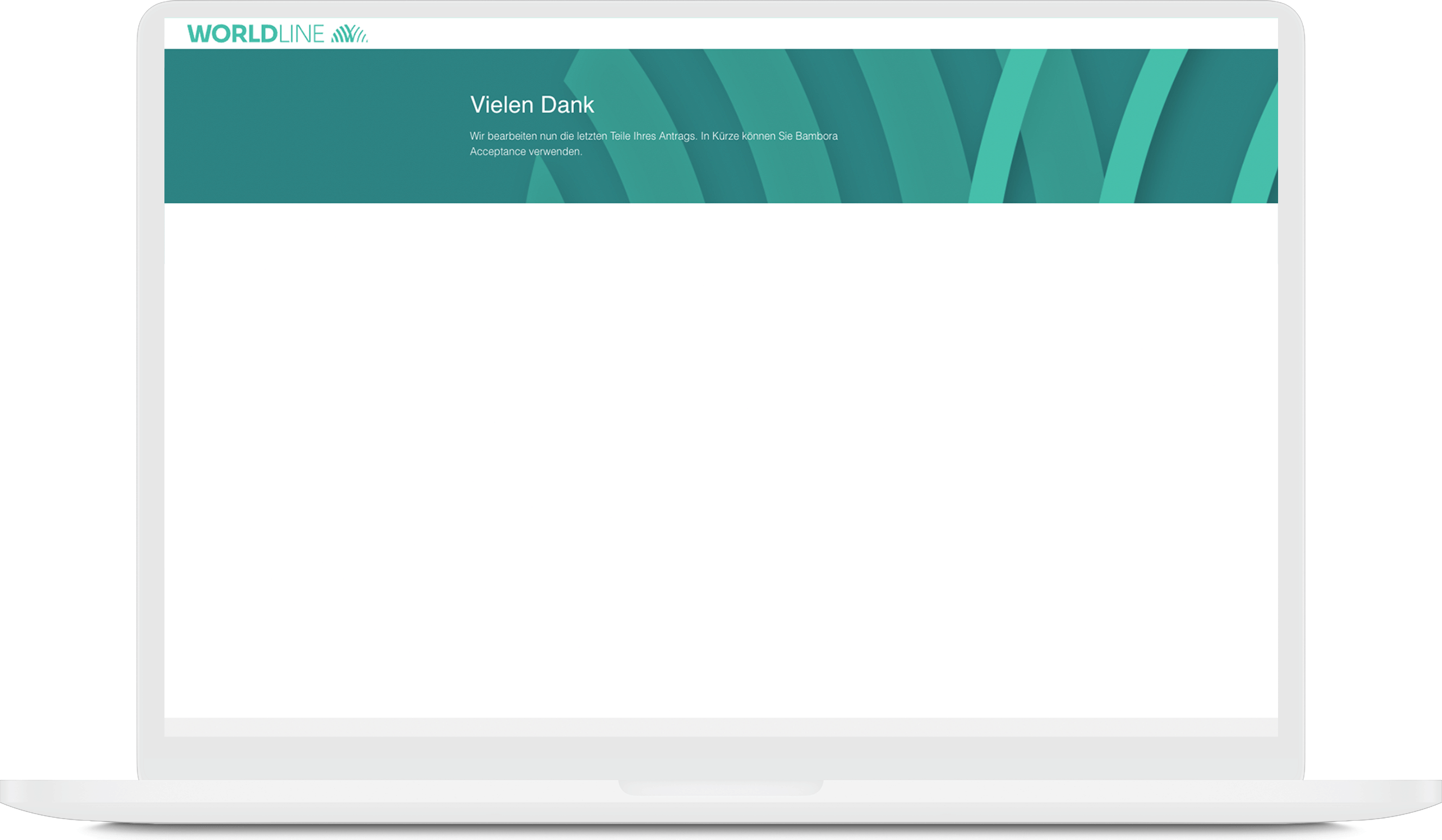
Now please be patient. Worldline will check your agreement and data. We will let you know via e-mail whenever there are news about your registration - either telling you that everything is ok and card payments are ready to use. Or that more information / documents are required.