Application for cashless payment: Clubs and associations

Übersicht
Before you can use cashless payment with your orderbird MINI, it must first be registered with our partner Worldline. After you have registered and logged in to the orderbird MINI, you will receive an email with a link. Click on it to go to the online form and enter your business data there.
The most important things at a glance:
Attachment
Attach the following documents to the end of the form:
- Proof of bank details with bank, account holder, IBAN and date not older than two months
- Excerpt from the register of associations
- Articles of association or statutes of meetings showing the current board of directors
Please make sure that one of the above documents lists the current board and authorized representatives of the association!
The application has thirteen points - looks a lot, but it's faster than expected! For a short overview, please take a look at table of content:
1. Company
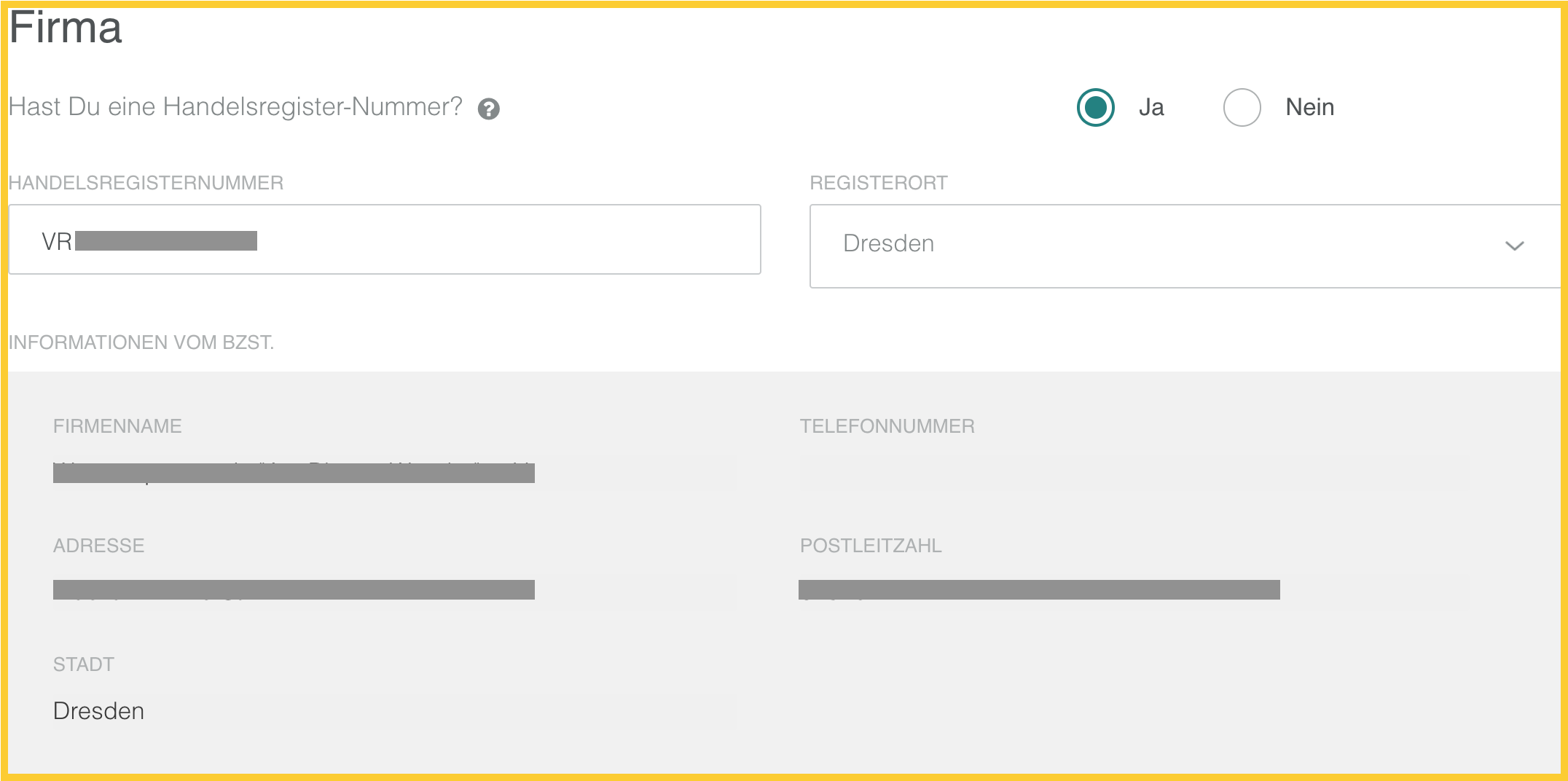
Leave the option "Yes" under "Do you have a commercial register number?" and enter your registry number. You can look it up in your association registry entry. The data of your association will be filled automatically.
2. Industry/Company Type
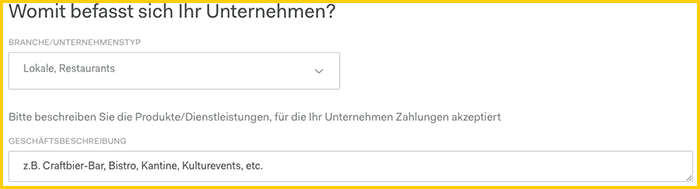
Select the appropriate company type from the "Industry/Company Type" list. In the "Business description" field, you can describe in more detail what you are selling with the orderbird MINI.
3. Contact
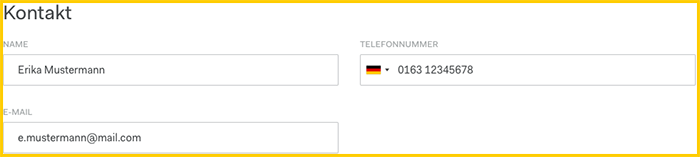
If your contact details have not been filled in automatically under "Contact", please enter your full name as well as a telephone number and e-mail address where you can best be reached.
Note: You will use this e-mail address to log in to the Worldline accounting portal (reports.bambora.com) after activation!
4.1 Company ownership structure
In associations, there is no natural person with more than 25 % of company shares. Therefore, a natural person, e.g. the chairman, must be specified as an "alternative beneficial owner ". To do this, select "No people directly or indirectly own..." and enter the data.
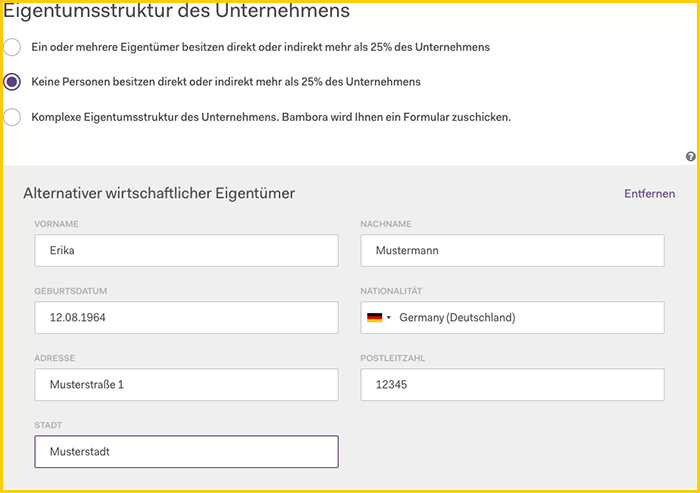
- “First/Surname” → full name as in ID (with 2nd first name)
- “Date of Birth” of the person
- “Nationality” as in ID
- "Address" as in the ID card, note : recently moved and not yet entered on the ID card is invalid!
4.2 Ownership and Control Structure
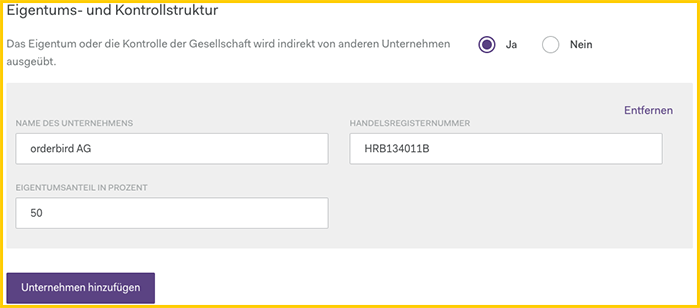
If another company or association owns 50% or more company shares (e.g. a GmbH, AG, KG, etc...) select the option "Yes" for "Ownership and control structure" and enter the data of the company / companies in the fields below. Otherwise, leave "No" selected and continue.
5. Sales
The information on sales is necessary for Worldline to comply with the requirements of the Anti-Money Laundering Act. These details are purely estimates and do not have to be 100% correct.
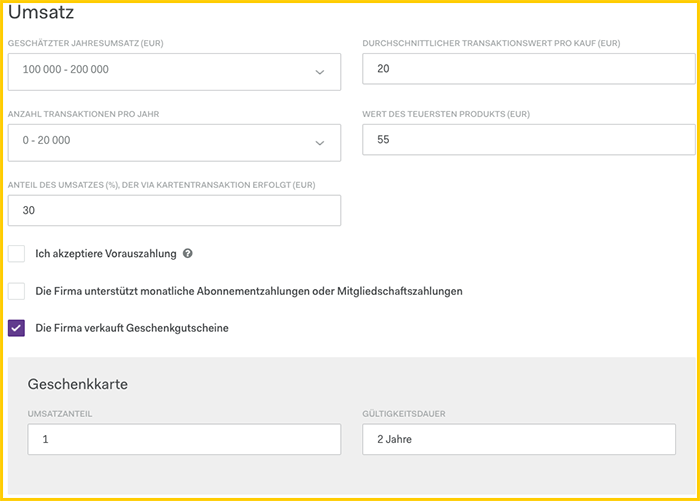
If you offer vouchers, check the box “The company sells gift vouchers” and enter:
- "Sales share" → percentage of your total sales through the voucher sale
- “Validity Period”
6. Preferences & Previous Acquiring Partner
If the fields in "Settings" are not filled out automatically, please enter the following data:
- “Payment Service Provider” → Payworks
- “Terminal model” → PAX A920 (orderbird MINI model number)
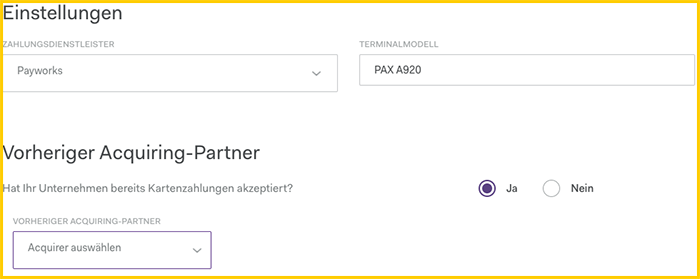
If you have previously accepted card payments, please select the option "Yes" and enter the previous acquiring partner. Otherwise, leave “No” selected and continue.
7. Bank Details
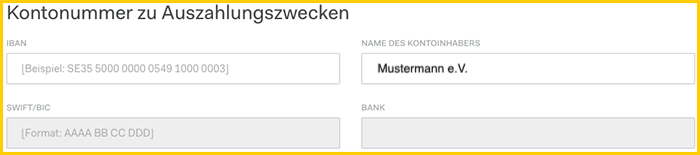
Enter the business account under “Account number for payment purposes”. The account holder must be the club. “SWIFT/BIC” and “Bank” will be filled in automatically as soon as you enter the IBAN. If the IBAN is not correct, it will be deleted from the field.
8. Place of Sale
Enter the place of sale with the name of the shop / salon / etc. and the address.
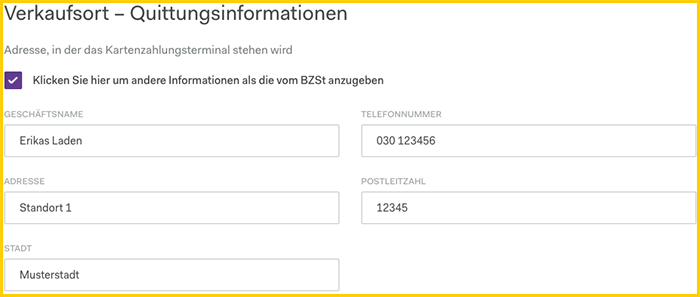
- "Business name" → this is displayed when debiting your customers' accounts
- “Telephone number” → must be specified
- “Address” → if the place of sale differs from the main office, the correct location can be given here
9. Further information
If necessary, use this field for additional information, e.g. if you would like to receive the payouts weekly instead of daily, or the address of the company is not displayed correctly, etc. Otherwise, you can leave this field empty.
10. Signer
“Signatory” is the Chair.
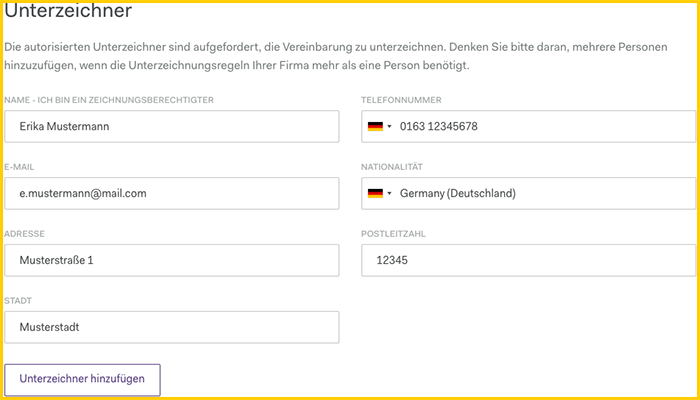
- “Name” of the authorized signer → full name as shown on the ID card (with middle names)
- “Phone number” of the signer
- “E-Mail” → the link to the digital signature will be sent to this address
- “Nationality” as in ID
- "Address" as in the ID card, note : recently moved and not yet entered on the ID card is invalid!
If several signers are required, you can add more people using the “Add signers” button.
11. Politically Exposed Person
Is one of the owners a member of parliament/politician at the federal and/or state level, or does he have business relationships with such a person? If so, the person must fill out an additional form. Select “Yes” for the appropriate option and download the form as a PDF. Otherwise, select “No” and continue.
12. Appendices
Now upload the following attachments:
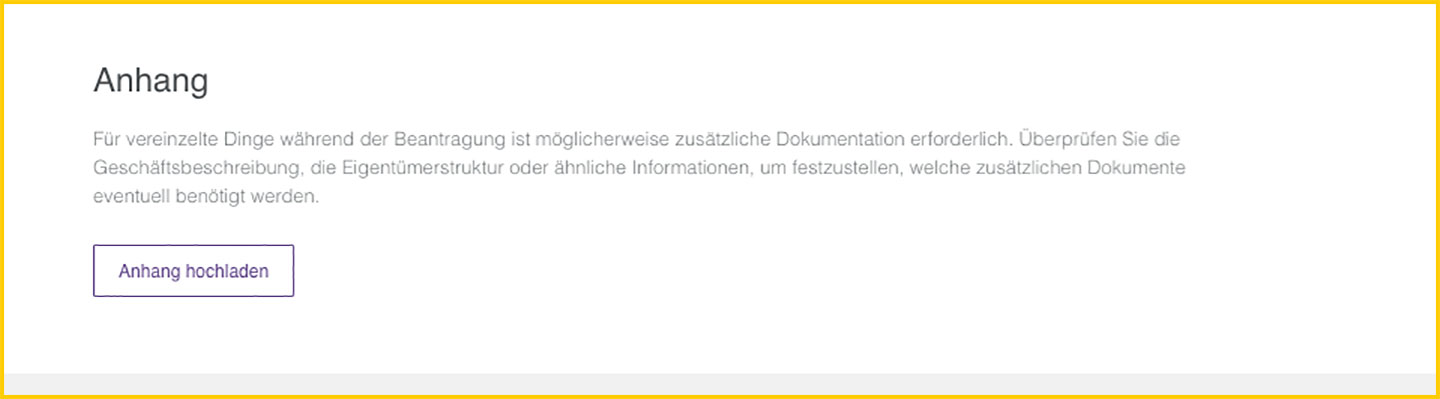
- Excerpt from the register of associations and, if applicable, minutes of the meeting, from which the current board can be found and
- proof of the bank account, e.g. a screenshot from your online banking with your full name, the IBAN and the name of the bank. And please no older than 2 months.
- the last tax return and balance sheet
Alternatively, you can also send us your documents via the contact form, and we will be happy to forward both to Worldline.
13. Digital Signature
Great - you have now provided all the necessary information. Now click on “Sign digitally” at the bottom. This will email all signers with a link, and you will be taken straight to the next page.
Instructions for signing can be found here: Application for card payment: Digital signature.